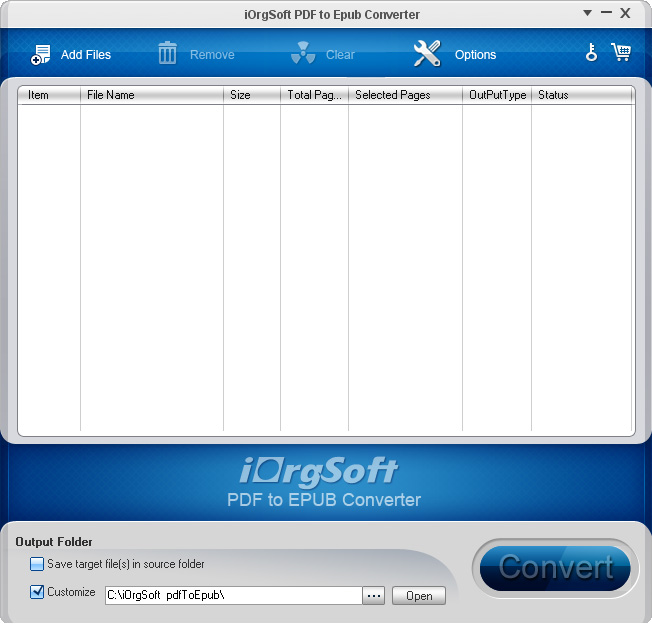
iOrgSoft PDF to EPUB Converter is a lightweight and easy-to-use PDF to EPUB converter necessary for users to convert PDF to read on portable devices such as iPad, iPhone, iPod Touch and other eBook Reader epub.
Why does PDF have to be converted to EPUB?
PDF does not work well in portable devices such as iPad, iPhone and phones. Therefore, pdf files should be transformed into the EPUB format, which is a free and standard eBook format and is supported by most mobile devices.
Although some devices, such as the iPhone, the iPod touch with iOS 4.0, the iBooks App 1.1 are beginning to support the PDF format, the small screen of the iPhone and iPod Touch is not very convenient. When reading PDF eBooks on devices, the scroll bar must be dragged from left to right each time to read a line of text on a single page from a PDF eBook. The EPUB will help.
EPUB is designed for reflow content, which means that the text display can be optimized for the particular display of the device. This means that EPUB eBooks can automatically adjust to the image size of your devices, so that you no longer have to scroll around to read your eBooks. If you already have some PDF eBooks on your computer, convert the files to EPUB and transfer the converted PDF eBooks to your iPhone or iPod Touch. It will greatly enhance your reading pleasure!
Key features
Convert PDF to EPUB files for reading on mobile devices
PDF to ePub Converter converts from PDF to EPUB ebook. Then you need to transfer the converted EPUB ebook to portable devices such as iPad, iPhone, iPod Touch, Sony Reader, PDA and smartphone.
Support batch conversion and partial conversion
Batch conversion – In this case, several PDF eBooks are imported into the program and converted into EPUB eBooks.
Partial conversion – Pass the page of each PDF eBook into the board for conversion. A large PDF eBook for easier reading becomes a small EPUB eBooks.
Two output modes
Custom Style – # keep the original text, the original graphics, images, layouts and hyperlinks by default (via hyperlink preservation: only text hyperlinks on web pages and email addresses remain after conversion)
# Support Customizing font size, background color in the output file
# Support of choice whether to preserve the hyperlinks or images
Each page is converted to EPUB as an image – Save pages as images to EPUB eBooks. The intricate layouts and formatting are perfectly preserved, but the font on your eBook reader cannot be customized if you choose this option.
Simple and user-friendly
# Standalone, need Adobe Reader and Acrobat
# Easy to use, convert PDF in 3 easy steps: Customize EPUB Import – Convert
# Intuitive and user-friendly interface of supported formats
iOrgsoft PDF to Epub Converter kaufen
iOrgsoft PDF to Epub Converter download trial