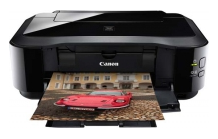
Resetting a Canon Pixma IP 4200 to its factory settings is very easy, it requires only a short guide for troubleshooting and customization purposes. If the ink monitoring and performance of your photo printer become inefficient, you can easily and quickly reset the printer, fix its software and fix configuration issues.
Guidance
- Turn off your printer and then press the „Continue/Cancel“ button. Press the “Power” button at the same time.
- You need to release the “Continue/Cancel” button and then press it again twice. The “Power” button must be released after the second repetition.
- The „Continue/Cancel“ button must be pressed three more times as quickly as possible and then released again. Then press the “Power” button to reset the printer.
READY!