Since we still run a slightly older Exchange 2007 server and it still runs great, we wanted to switch to Office 2013. However, when we set up Outlook 2013, we had massive problems.
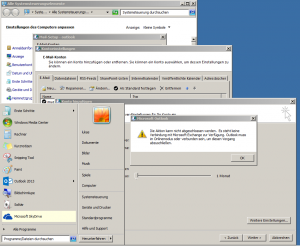
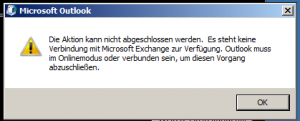
There was always the following error message:
The action cannot be completed. There is no connection to Microsoft Exchange. Outlook must be in online mode or connected to complete this process.
First of all, I controlled the following things:
- ping on our server – worked
- traced to our server – worked
- RPC calling on our server via https://domain/rpc – Authentication ran blind
- Outlook 2010 – Access worked
- OWA – Web Access Access – worked
After several hours in front of the PC… about 2 liters of coffee … and very shaky hands since I stopped smoking I came across the error.
Unfortunately, I did not find a solution on any website.
The solution in our case was that the domain of our Exchangeserver differs from the PC name of our Exchange Server. Domain Exchangeserver [www.exchangeserver.info] Computer name [EX2013A]. When I was at my local Hosts file (which is stored in C:\Windows\system32\drivers\etc\hosts) the IP address associated with the computer name did it work.
Info about the hosts file:
On Windows 7, this file can only be changed after the security settings are changed to Full Access.
Our host file entry now looks like this.
123.123.123.123 EX2013A
After the hosts file was set correctly, we again configured the Exchange account.
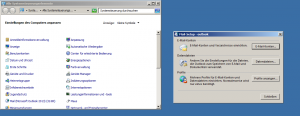
- Start –> Control panel e-mail
- Show profiles –> Remove old Outlook profile again
- Add a new profile named Outlook
- After that, the Add account starts window
- here we click on manual configuration or additional server types
- in the next window we select Microsoft Exchange Server or compatible service
- now we enter the name EX2013A at the server
- for the username we enter our username
- then we go to more settings and into the link tab
- Here we put the hacks Connect to Microsoft Exchange via HTTP
- Now we click on the button Microsoft Exchange Proxy Settings
- in the field: Use this URL to connect to the Exchange proxy server: we give www.exchangeserver.info one.
- In the proxy authentication setting, we select the Standard authentication Off.
- Now we save our settings and click on Check name in the previous mask
- Now the authentication window for our Exchange Server appears
- Here we enter our domain name + \ + our user name: exchangeserver.local\TEST
- With the password we enter our Exchange password, then we set the hacking for login data and click OK.
- Now our data is verified with the server.