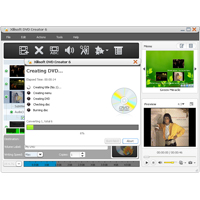
Xilisoft DVD Creator for Mac can not only convert AVI, MPEG, DivX and video files to DVD, but also burn DVD folders or create ISO file to DVD on Mac. Creating the ISO file or DVD folder from videos is also available.
Xilisoft DVD Creator for Mac also offers you the ability to customize DVD movies with a brilliant edit menu, cut videos, set effects and set audio/subtitles options.
Key features:
- Create DVD movies, DVD folders or ISO files from AVI, MPEG, WMV, ASF, DV, DivX, XviD, VOB, 3GP, 3G2, MP4, YUV, H. 264/AVC, M4V and similar video files.
- Multi-threading and multi-core processors are supported. Super fast conversion speed to burn DVD movie from multiple video files.
- Convert video files on DVD-R, DVD+R, DVD-RW, DVD+RW, DVD+R DL, DVD-R DL, DVD-5 and DVD-9.
- Delete the rewritable DVD content automatically to burn new content.
- Create a stylish DVD menu with a menu template, and add your own background music/picture, menu theme and pre-film to make DVD menu.
- Place any segment or frame in a video like the title miniature in the DVD menu.
- Leave You play the created DVD movie directly but not display menu.
- Pick out wanted video clips and combine them into an automatic for burning DVD movies.
- Cut unwanted boundaries to the elite, add effects, and add images or text watermarks.
- Add soundtrack and subtitle settings of different languages, the movie DVD and set the delay time if necessary.
- Various video/audio settings you want to customize: video/audio quality, bitrate, tv standard, aspect ratio, size mode, channel, sample rate, and so on.
- Preview video files in size changeable integrated player and create snapshot and anytime.
- Select Burn Wants, Write Speed and Copy.