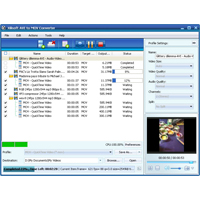
Xilisoft AVI in MOV Converter is the easiest way to convert AVI files into QuickTime MOV videos. With the AVI in MOV Converter you can get videos in MOV format from photos (JPG, PNG, GIF and BMP), split a large file to multiple segments, adjust output file size with the Bitrate Calculator, and convert only the selected segment and set the parameters for output. Make yourself the perfect MOV file with the exact size and quality they want.
The main functions:
- Two steps to convert AVI files to videos in MOV format.
- Convert a series of photos (JPG, PNG, BMP, GIF) into a slideshow video.
- Xilisoft AVI in MOV Converter supports multi-core CPU, multi-threading and batch process.
- Divide a file into multiple segments for your video on each device.
- Customize the output video file size with the built-in Bitrate Calculator in AVI to MOV Converter.
- Each video segment can be converted to MOV video files by setting the start and duration.
- Take the setting for the following parameters: video codec, video size, bitrate, framerate, audio codec, channels and more.
- Enter Xilisoft AVI to run in MOV Converter in the background to save CPU resources. Perform automatic quit, shutdown, sleep or standby to AVI to MOV conversions.
- Take Snapshot in preview mode.
- Check the AVI in MOV Converter automatically for updates.
- It offers several languages: English, Japanese, German, French and Chinese.