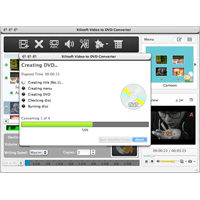
Xilisoft Video to DVD Converter for Mac converts video files into all kinds of formats, including high definition (HD) videos into DVD movies, ISO files, and DVD folders.
It also allows you to extract the most from your video files, create professional DVD menus for your movies, open DVD movies, add up to 32 different subtitles and 8 soundtracks for a single movie and many other adjustments to their DVD movies.
Key features:
- Almost any type of video file can be converted: MP4, MKV, AVI, DivX, XviD, HD camcorder videos (M2TS, MTS, TS), MPG, MPEG, QuickTime videos (MOV, QT), DV, VOB, Real Video (RM, RMVB), WMV, H. 264/AVC, ASF, DAT, FLV, 3GP.
- Supports almost all DVD formats: DVD-R, DVD+R, DVD-RW, DVD+RW, DVD+R DL, DVD-R DL, DVD-5, DVD-9.
- Convert video files to DVD movies at high speed with multithreading fully supported.
- Choose from a set of DVD templates to create a DVD menu; set the background music and image for your menu, add and edit menu add DVD opening movie.
- Clip the desired segments from a video to extract the things you need.
- Cut the frame of their image to preserve what they just want.
- Choose from a variety of artistic effects; Mark your film with your own text/image.
- Create a multilingual DVD movie with up to 32 subtitles and 8 soundtracks
- Fully adjust the DVD movie output by setting a set of output parameters such as: video/audio quality, bitrate, tv standard, aspect ratio, adjust audio channel, and sample rate.
- Preview the film and the applied effects, the original with the modified video in real time. You can also take snapshots of the movie pictures when previewing.
- Automatically add the chapters with the DVD title at set intervals during DVD creation.
- Available in English, French, Spanish, German, Japanese, simplified and traditional Chinese spoken.