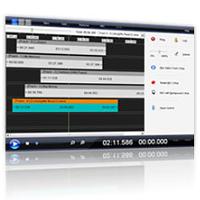
AEP Audio Workshop is an all-in-one multi-track sound mixing, editing and recording.
It allows recording, overdub and mixing multiple tracks of .wav, .mp3, .wma and other major audio format files. The simple, fast and intuitive interface makes it a no-brainer when it comes to sound editing and mixing.
With the support for the standard copy, cut, paste, undo and restore you can even make a few small errors! With Cool Edit you can mix – mix of different sounds in one sound. You can change sounds position in real time while playing.
Then save as .mp3, .wav, .wma and .ogg audio files. Edit – Open, create and save audio files. Enter an audio file or part of it. Visually edit an audio file (cut, copy, delete, paste, paste from file, paste or delete noise or silence in an audio file) recording – recording new audio file from a microphone or other input device. Recording with background – Recording audio while playing background sound or music. Change the Sound Band – Set the volume in real-time.
Display – Display a curve window from an audio file and enlarge/reduce digital effects – different effects (still amplify, delay, equalizer, fade, normalize, silence, stretch) supports the following file formats Waveform Audio (WAV) MPEG Audio (MP3 and MP2) WMA files (Windows Media Audio) Ogg Vorbis Audio VOX Dialogic ADPCM-RAW Audio