
Under Windows operating systems, network sharing is common even if the hard drive no longer exists. The folder no longer exists.
To finally remove these network shares, proceed as follows:
- Start –> Execute –> cmd * (under Windows XP)
- Start –> (in the Search Programs/Files window) cmd * Enter (on Windows 7)
Now give the order Net share This lists all stored network shares.
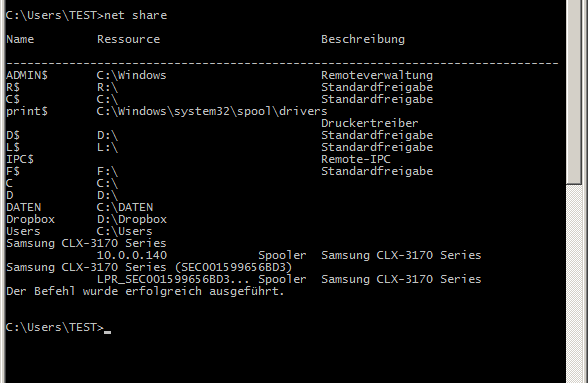
In order to remove an unused network share, Net share „Released name“ /d one
*cmd = abbreviation for Command Line Client.