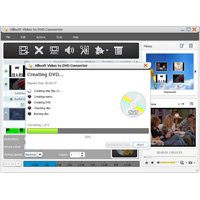
Xilisoft Video to DVD Converter offers you the ideal solution for converting and high-definition (HD) format video files to DVD movies, ISO files and DVD folders. It also comes with an impressive selection of DVD editing tools: Clip video segments create them visually appealing DVD menus, add DVD opening movie, create a multilingual DVD by adding multiple subtitles and audio tracks and much more.
Multithreading and multi-core processing are also supported.
Key features
- Convert video files to MP4, MKV, AVI, DivX, XviD, HD camcorder videos (M2TS, MTS, TS), MPG, MPEG, QuickTime Videos (MOV, QT), DV, VOB, Real Video (RM, RMVB), WMV, H. 264/AVC, ASF, DAT, FLV, 3GP format on DVD movies.
- Supports all common DVD formats as target DVD: DVD-R, DVD+R, DVD-RW, DVD+RW, DVD+R DL, DVD-R DL, DVD-5, DVD-9.
- Ability to process video to DVD movie conversions using all CPU cores at the highest available speed from your system.
- Create a DVD menu with a template of your choice; edit the menu by adding a clip f or picture as a thumbnail of the video for their DVD menus and background music, picture, title, and pre-film to the DVD menu.
- Clip the desired segments from a video to extract the things you need.
- Plant their video frame to remove what they FETMT like from the picture.
- Make your film look special with different artistic effects; label your movie with text or image watermark.
- Add up to 32 subtitle files (.srt) and 8 audio tracks to their movie.
- A number of parameters are available according to your preferences – DVD film included: video/audio quality, bitrate, tv standard, aspect ratio, adjust, audio channel, sample rate.
- Preview your movie with settings in real time; Create snapshots of the movie images at the preview.
- Auto-add chapters to your DVD titles therefore at regular intervals.