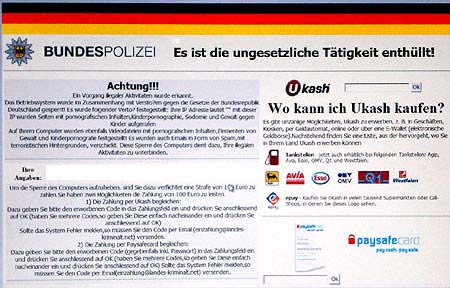
How to remove the Bundestrojan
Here is a guide
- Start your computer to Safe Mode
- For those who do not know this mode
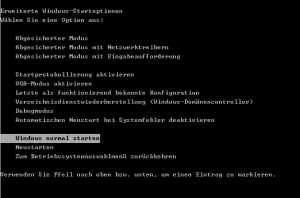
- When starting after the Bios Screen F8 button press several times
- then comes a screen where you can select the Safe Mode
- Select it with Enter
- Now the operating system only starts with the most necessary drivers and without network support
- After Windows XP boots up, enter Task Manager with Ctrl + ALT + ENTF
- Quit the explorer.exe application
- Now restart the explorer.exe file from the task manager
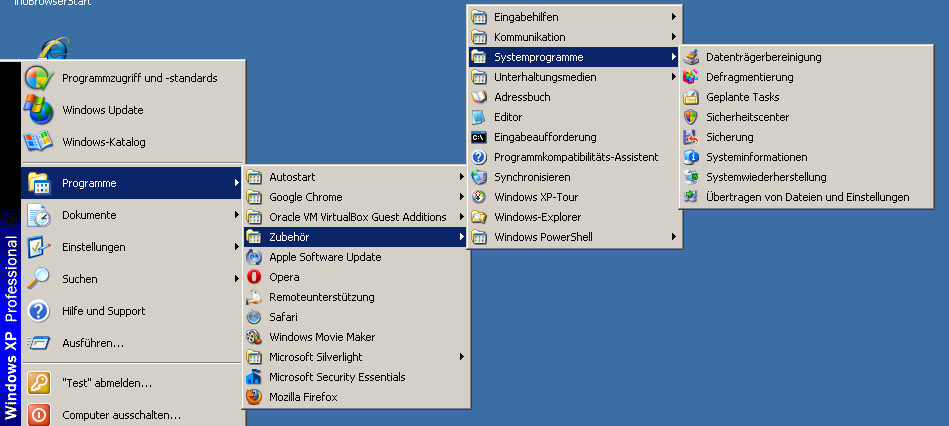
- Now go to Start –> Programs –> Accessories –> System Programs –> System Restore
 Now restore the computer to an earlier state
- our proposal 1 – 2 weeks before the Federal Trojan appeared.
- Attention maybe. Programs you have installed in the meantime must be reinstalled afterwards.