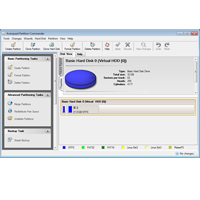
Is the hard drive slow and confusing? Save wasted disk space, organize your important files, and speed up your disk with Partition Commander 11. Organizing and optimizing Start your hard drives with a single partition that holds the Operating system, the apps, games and all your important data, music, photos and videos. Over time their hard drive becomes very cluttered and chaotic. With Partition Commander, you can significantly improve your disk speed and organization by separating the operating system, applications and important data. This allows your hard drive to files faster and easier.
Redistributed unused disk space Do you need extra space in one of your existing partitions? No problem! Partition Commander allows you to take unused space from one partition to another. Windows cannot do this. Partition Commander’s built-in tools get the job done for you in just a few simple steps. Integrated security functions for optimal protection no other software for Partitioning with built-in safety features to protect against system failures, including power loss. Partitioning your hard drive with ease and confidence, knowing that partition commander security and undoing functions is always there when you need them.
Have important data, memories (music, photos and videos), applications or games on PC, Partition Commander You can protect it in case the operating system crashes. Partition Commander securely organizes your hard drive so that your favorite applications, games and even the operating system run faster. Best of all, everything is automated. Just follow a few steps and you’re done. It couldn’t be easier. What’s new in version 11: Starter Assistant – It’s now easier than ever to access the main features of Partition Commander.
Quick Launcher lets you copy or migrate partition, backup or restore a hard drive in one simple step. Simpler user interface – new colors, icons and descriptions make it easier to perform a function in the partition commander. System Backup & Restore – Partition Commander now also has the ability to create a full backup of your system before modifying/creating a partition. Users can restore the system backup in a simple step.
New Boot Manager & OS Installation Wizard (Assistant for – we want to run multiple operating systems on your computer?) It has never been easier, so they prepare the computer for a brand new operating system than with Partition Commander 11. The automated assistant quickly guides you through the installation process. The new Boot Manager makes it easy to select the operating system you want to load when you start the computer. Features: Partition Commander – Secure, Easy, Reliable, Secure! Separate and protect your important data!
Copying, Moving, Disconnecting, and Merging a Single Hard Drive in Two or More Partitions Without Data Loss Step-by-Step Assistant Performs By partitioning process „Undo“ function you take any partition step Powerful safety functions Protection Fix computer problems running directly in Windows® preview the partitioning before completing it Defragment partitions for optimal performance support USB drives.