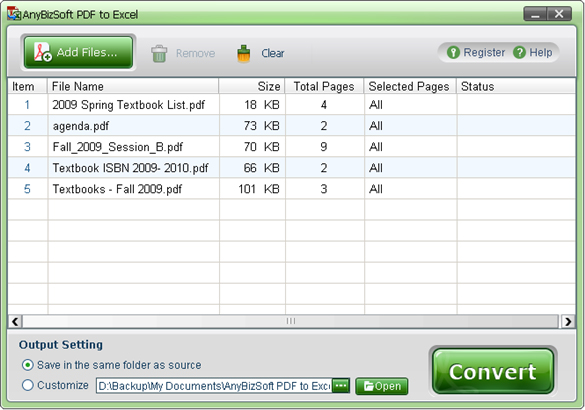
Wondershare PDF to Excel Converter is a handy conversion tool that helps you convert PDF files to Microsoft Excel tables. All data, including the layout and formatting of the PDF file, remains after conversion. Thus, it is much easier for you to perform invoices, reorganize the worksheets and change data in the output Excelsheet.
Main characteristics:
Supported formats
You can export Microsoft Office Excel 2003, Excel 2007 or Excel 2010 files.
Adobe PDF 1.0-1.7 formats can be imported.
In addition, encrypted PDF files are converted.
Careful PDF -in-Excel conversion
PDF to Excel Converter keeps the original layouts of the texts, columns, tables and diagrams, as well as hyperlinks of the PDF files in Excel worksheets. The converted worksheets do not have to be rewritten or reformatted.
Images from PDF files can be extracted separately and easily and flexibly inserted into an Excelsheet.
3 efficient conversion options
Batch conversion – 200 PDF files can be converted at the same time.
Partial conversion – select any page from the PDF for conversion.
“Right-click” conversion – right-click on a PDF and select “Convert with Wondershare PDF to Excel” so you can convert it to an Excel worksheet without having to start the program.
Other
The program runs alone, it does not have to be Adobe Reader or Acrobat installed.
Convert all or selected pages of a PDF to an Excelsheet and each page represents a single worksheet in your Excel folder.
Very easy to use.
User-friendly interface.
Supported languages: English, Turkish, Thai, Latin, Korean, Greek, Cyrillic, Arabic, Japanese and Chinese.
System requirements
OS: Windows 7/2003/XP/Vista 32bit
Minimum hardware requirements: 500 MHz processor, 256 MB memory, 15 MB disk memory.