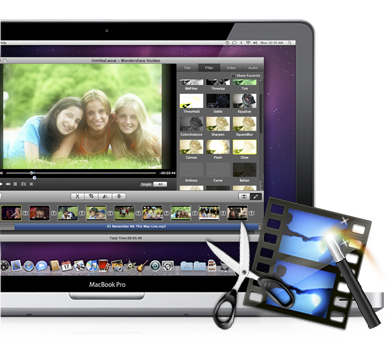
Wondershare Video Studio Express for Mac is an easy-to-use video editing software for beginners and professional video editors. You can edit SD and HD videos by merging, shortening, splitting, cutting, and adjusting brightness, contrast, saturation, and volume. Three timeline tracks make video editing flexible and easy because you can edit video, audio and background music.
This video editor is also a video converter, you can play your favorite videos anywhere and anytime with your iPhone, iPod, iPad, PSP, Wii, Zen, Zune etc, regardless of format compatibility. In order to share your video creations, it is possible for you to upload them to Youtube as long as you present the Youtube account data.
Wondershare Video Studio Express for Mac:
- With this video editor you can cope with various SD and HD video formats. There is no reason to worry about format incompatibility, the functions of connecting, sharing and shortening can be achieved in a simple way.
- Import videos from portable devices, DV cameras, camcorders, such as iPhone, iPod nano, Canon, Sony, JVC, etc.
- Audio formats such as WMA, WAV, M4A, AAC, AC3, OGG and MP3 are supported, so you can import your favorite music from your hard drive as background music for your video.
- Design professional and accurate videos with a video track, audio track and background audio track.
- It is very easy for you to split the video into several parts to adapt it to your multimedia device. Accordingly, you can put together several videos into one.
- Cut the video with the help of the video editor to get your favorite clippings.
- Adjust the video size easily so you can remove unwanted parts.
- Use special effects like “old film, gray, emboss, negative etc”, as well as you can adjust the brightness, saturation and contrasts of the video to perfect your video.
- Wondershare Video Studio Express is a great way to make your videos look beautiful. You will be offered plenty of transition effects to customize your videos.
- Uploading Make videos directly on YouToube so you can share your video with their own network or with the whole world.
- Wondershare Video Editor allows you to optimize frame rate, bit frequency and resolution to get the best effect.
- Copy movies to your device of choice, such as iPod, iPhone, iPad, Wii, Zen, Zune and PSP etc and you can enjoy them anywhere.
- You can upload videos directly to YouTube. Add tags to your media, choose between upload options and create an account so you can make immediate uploads.