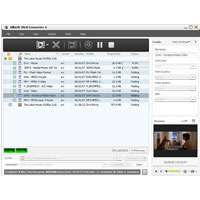
Xilisoft DivX Converter supports converting a variety of video formats such as AVI, MKV, WMV, MP4, MOV, etc. to DivX, XviD, WMV, AVI, MOV, MP4, MPEG4/H. 264, 3GP. Also, you can extract M4A or MP3 audio files from one of the videos.
Equipped with a wide range of features such as video sharing setting multiple output formats for a single source, segments, and adjusting output file size to give you the perfect video.
New functions:
- Supports ATI stream encoding technology.
- Makes the integrated player size can be changed (switch the zoom mode between 4:3 and 16:9)
- Provides the function of power management
Key functions:
- Supported source formats: AVI, DV, DIF, MKV, MPG, MPEG, MPA, DAT, VOB, MP4, 3GP, 3G2, MOV, QT, RM, RMVB, DAT, WMV, ASF.
- Supported output formats: M4A, MP3, DivX, XviD, AVI, MOV, MP4, MPEG1, MPEG2, MPEG4/H.264, VOB, WMV, 3GPP, 3GPP2, create FLV files.
- Multi-core CPU supported. The more cores they have, the faster the conversion.
- Output several formats from a single source
- Select „split mode or fit“ You split the time/size the image distributed into the desired segments
- The built-in Bitrate Calculator makes it easy to size the desired output file.
- Set start and duration of a particular segment You want to extract them from the source file.
- The adjusted output parameters such as video codec, video size, bitrate, framerate, audio codec, channels and so on.
- Run the DivX Converter in the background to store CPU resources for other applications.
- Setting the automatic happen to stop actions, shut down, sleep or stand-by
- You can preview snapshots. Auto Check for software updates.