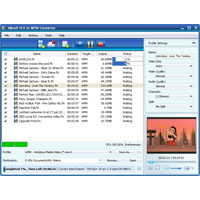
Convert Flash Videos (FLV) to WMV video format using Xilisoft FLV to WMV Converter, you can use them on your computerTMs standard media player or on multimedia devices such as Zune, Xbox and Windows Mobile-enabled devices. In addition, this converter allows you to place your images in WMV videos.
Other features include splitting a unified file into several small files and setting the preferred file parameter such as bitrate, file size and video codec.
The main functions:
- Convert FLV videos to WMV so you can use them on Windows Media Player.
- Turn photos (JPG, BMP, GIF and PNG) into WMV video file.
- Supports dual-core and multi-core CPUs and more processor cores mean faster conversion speed.
- Dividing a file into multiple files or merging multiple files into one.
- Enter desired file properties to calculate the size of the output file before conversion with the Bitrate calculator.
- Cut and convert a specific video segment that you want to change by setting the start time and duration of the video.
- Adjustable parameters: video codec, video size, bitrate, framerate, audio codec, channels.
- For a faster transition, it supports multithreading and batch process.
- The converters in the background to save time.
- Put an action after a conversion is done so that they do not have to wait: Hibernate (rest, standby, shut down or end).
- Preview source video file with the integrated player and even a snapshot during preview.
- Automatic updates software version over the Internet.
- Multiple languages to choose from: English, Japanese, German, French and Chinese.