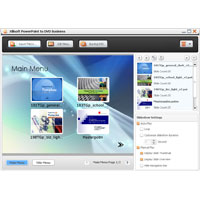
Xilisoft PowerPoint to DVD Personal is able to share most formats of PowerPoint (PPT) files with the formats supported by DVD and burn them to DVD discs, DVD folders as well as ISO files.
Features:
- Most convert PPT formats, including ppt, pptx, pptm, ppsx, pps, ppsm, POTX, potm and pot on DVDS
- Create ISO file or DVD folder on disk from PPTS.
- Support for multiple DVD formats, including DVD-R, DVD+R, DVD-RW, DVD+RW, DVD+RDL, DVD-RDL, DVD-5 and DVD-9.
- You are free to change the layout and the pattern of DVD menus. Scores of menu templates are also ready for your choice.
- Add your favorite music and image to the menu and they are also able to display the menu. All the change and design can be previewed in real time.
- Skipping You menu option makes the target DVD movie start directly by hiding the menu bar.
- Make a distinctive PPT by adding beautiful music.
- Add recorded soundtracks, remarks to PowerPoint, Word during rehearsals.
- You can put them watermarks in your file to explain the property or other information.
- Keep your original items like video, audio, image from the PPT-after converted to DVD if they are preferred.
- Set the Play mode when playing PowerPoint, Word, in a DVD player as auto-play or manual play according to your needs. In addition, play in Auto mode, play in loop is available and they can decide whether to push the session length between the individual. While playing in manual mode, they can free themselves and hold on to any slide for further explanation.
- You can choose to view the slides in the thumbnail or the contour mode according to your preferences to locate a slide with ease when playing PowerPoint, Word, into a DVD player. Manual play mode only.
- Set the TV standard, aspect ratio and video quality when burning PowerPoint, Word to the DVD player.
- Other useful features they provide convenience in operation, such as post-task actions, background, multilingual interface and …