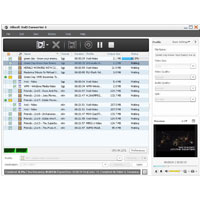
Decode video files such as AVI, MKV, WMV, MP4, MOV, MPEG, MPA, MPG, 3GP, 3G2, DAT, VOB, QT, RM, RMVB, ASF and Xilisoft XviD Converter convert them to XviD, DivX, WMV, AVI, MOV, MP4, MPEG4/H. 264, 3GP, etc.
It can even extract M4A or MP3 audio files from videos. This XviD Video Converter lets you divide a file into multiple segments, adjust output size of the file, and then set different output parameters to get a customized video.
New functions:
- Supports ATI-Stream encoding technology
- Makes the integrated player size can be changed (switch the zoom mode between 4:3 and 16:9)
- Provides the function of power management
Key functions:
- Source Supported formats: AVI, DV, DIF, MKV, MPG, MPEG, MPA, DAT, VOB, MP4, 3GP, 3G2, MOV, QT, RM, RMVB, DAT, WMV, ASF.
- Target supported formats: M4A, MP3, DivX, XviD, AVI, MOV, MP4, MPEG1, MPEG2, MPEG4/H.264, VOB, WMV, 3GPP, 3GPP2, FLV files.
- Xilisoft XviD Converter supports multi-core CPU, batch process, and multithreading.
- Get several output formats from a single source.
- Split a large video files into several segments with self-defined split time/size.
- Customize the output video file size with the built-in Bitrate Calculator in the XviD Video Converter.
- Set the start time and duration of the segments desired, and then convert the segment into any supported video file.
- Offices They include output parameters including video codec, video size, bitrate, framerate, audio codec, channels, etc.
- Run the XviD Converter in the background to spare CPU resources for other applications that happen automatically after actions stop, shut down, sleep or stand-by mode.
- Create snapshots in preview mode.
- Xilisoft XviD Converter automatically check for updates.
- It offers several languages: English, Japanese, German, French and Chinese.