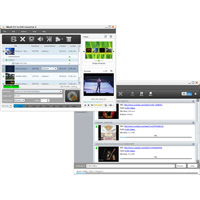
Xilisoft YouTube to DVD Converter is just the right tool for you to download videos from YouTube for free and burn FLV videos in DVD movie. You can also convert YouTube videos to DVD folder or ISO image.
And it also allows creating personalized menus for DVD, clip video files to burn needed segments, add subtitles/soundtracks/watermarks to your DVD and edit video effects.
The main functions:
- A FREE way to download YouTube FLV videos to your computer.
- An all-in-one solution for creating DVD movies from YouTube videos. Also, they can convert YouTube videos to DVD folder or ISO image.
- There are numerous menu templates, a DVD menu, and allows you to add background image/music, title and opening tool, and even customize video/image title miniatures for menu.
- Clip FLV video file to extract required parts and paste them together for burning.
- Video effect editing functions include: crop video size; Set image effect, paste effects and label image/text watermarks. You can preview the effect and compare it in real time.
- Allows you to add multiple audio tracks (up to 8) and subtitles (up to 32) to your DVD movie.
- Various options are available for you to download YouTube videos: drag and drop or copy and paste video URLs to start the download, download videos from the right-click in the menu or via the integrated browser.
- Allows you to download multiple YouTube videos at the same time; Supports multi-threading and multi-core processing, making download and convert YouTube videos to DVD super fast.
- Most popular DVD formats are supported: DVD-R, DVD+R, DVD-RW, DVD+RW, DVD+RDL, DVD-RDL, DVD-5, DVD-9.
- Ability to freely adjust the output parameters including video/audio quality, bitrate, aspect ratio, tv standard, aspect ratio, and many others.
- Preset the program to automatically quit or go to sleep, stop, or shut down the computer after a task is completed.