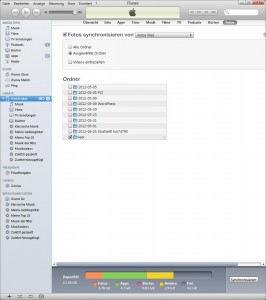
If you want to delete photos from iPhone, this can become quite a problem. For self-recorded photos, this does not work for stored or syncronized photos via iTunes. Apple didn’t think so.
But we found out how to take the synchronized photos away from the iPad.
- Connect your iPad to your computer
- Create an empty folder on the hard disk
- clicks on the iTunes –> iPad –> Photos –> Selected folder –> now selects the empty folder
- Now starts the synchonization
- This can take a bit…
- Check your iPad now the photos must be gone