
With the disclosure of a complete source text of an HTML mail, you have the opportunity to check each e-mail for its seriousness.
How can the source code be disclosed in Outlook 2010?
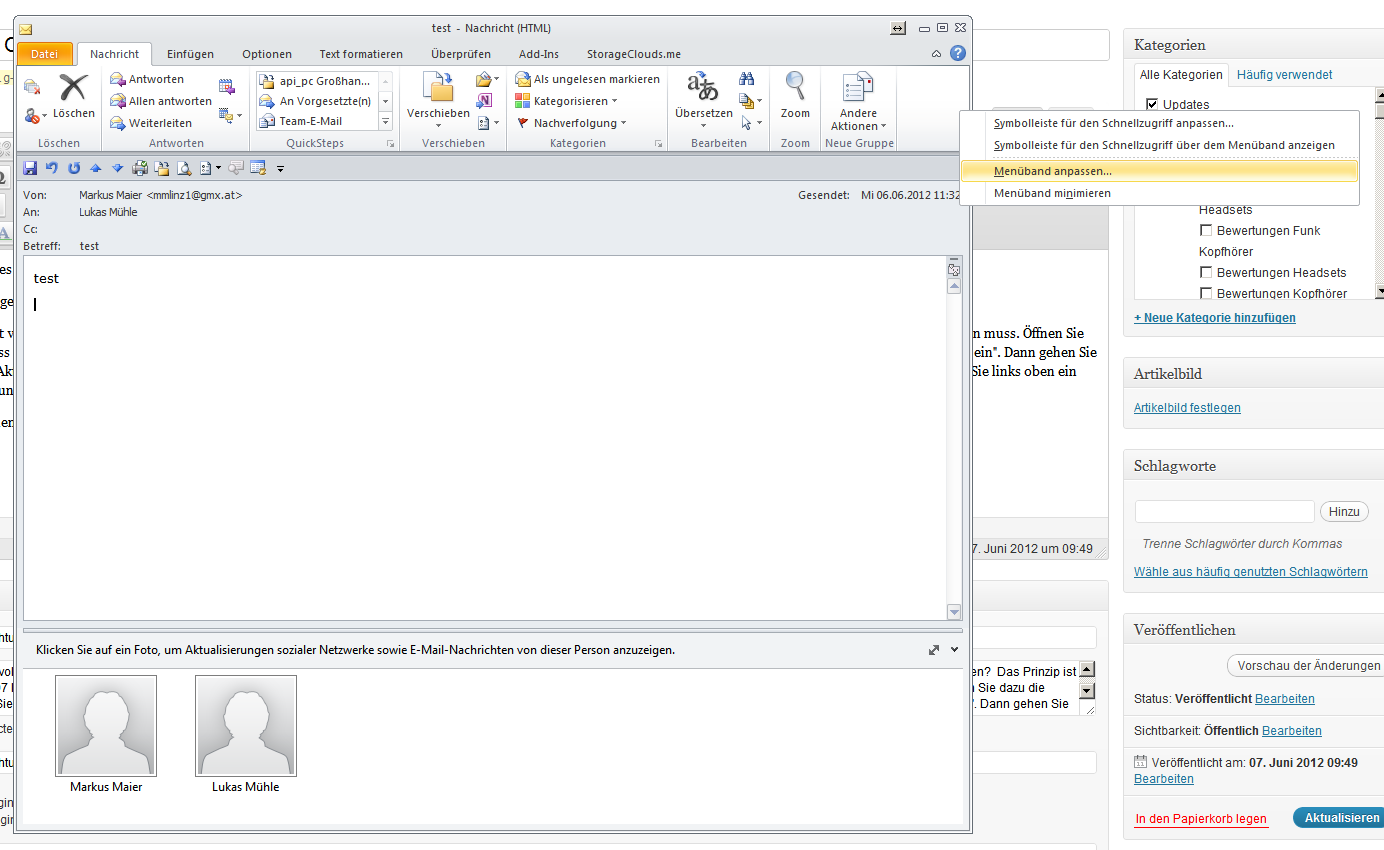
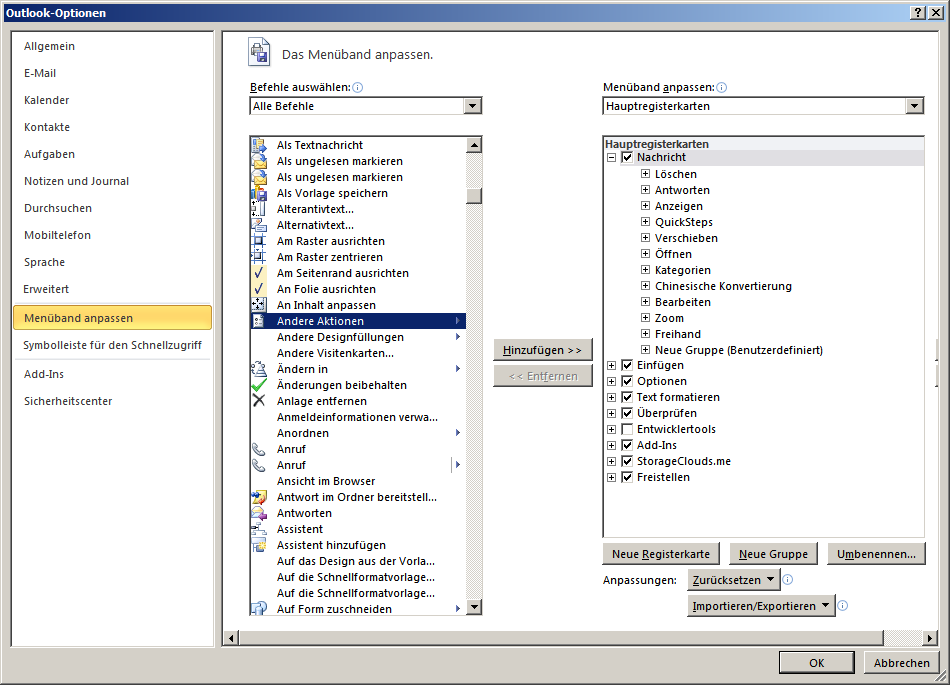
The principle has changed slightly compared to Outlook 2007. You need the „Other Options“ icon, which exists in Outlook 2007 but must be released first in Outlook 2010. To do this, open the desired mail, then click on „File“ and continue on „Options“, „Outlook Options“, „Quick access toolbar“ and select the option „All commands“ under „Select commands“. Then in the listing go down to the „Other actions“ option. This entry shall be selected and added. With „Ok“ you confirm the process. Now when you look at the Quick Start access bar, you will see a new icon with an arrow on the top left, whereupon you click and a menu opens.
Here are the screenshots
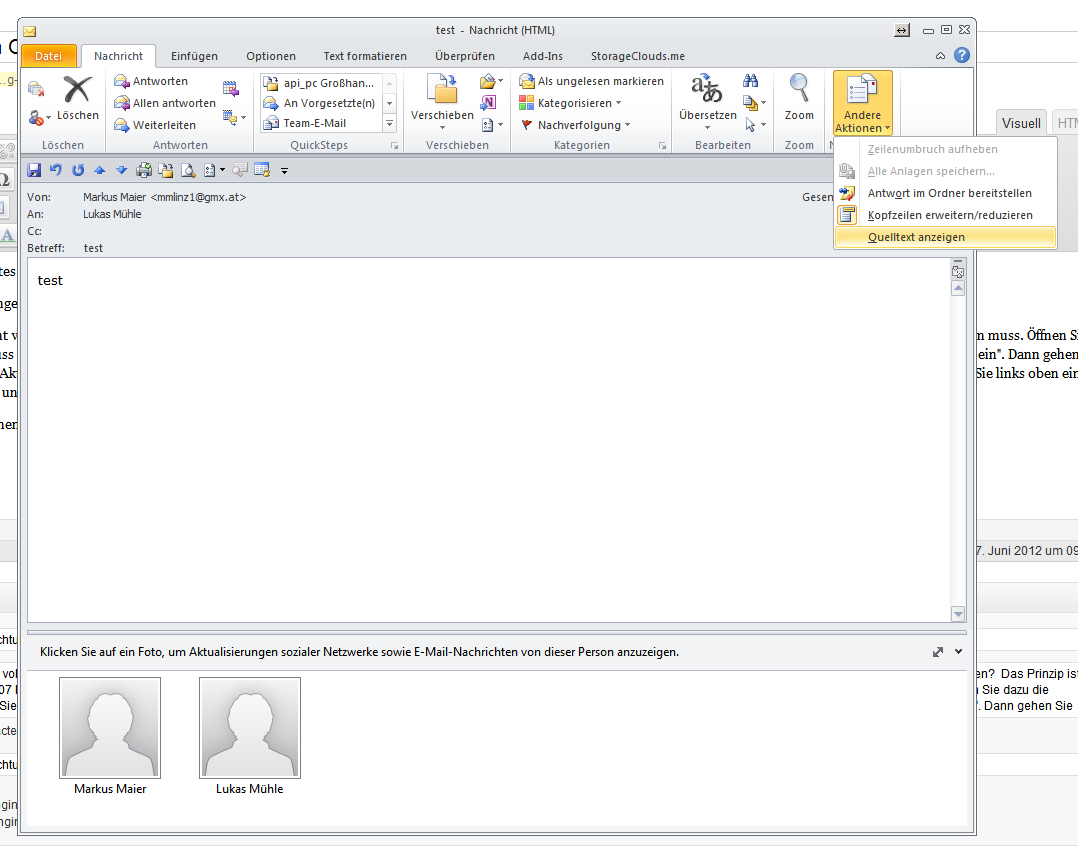
If a mail now appears dubious, you can now simply check it under „Show source text“.