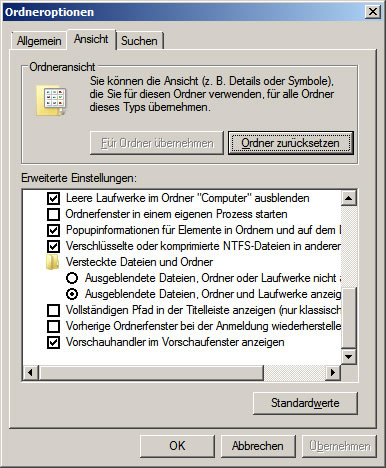
The question is more and more people how to view hidden or system files.
Proceed as indicated.
Click START in the Windows Start Menu
Now enter in the execute window „folder options“
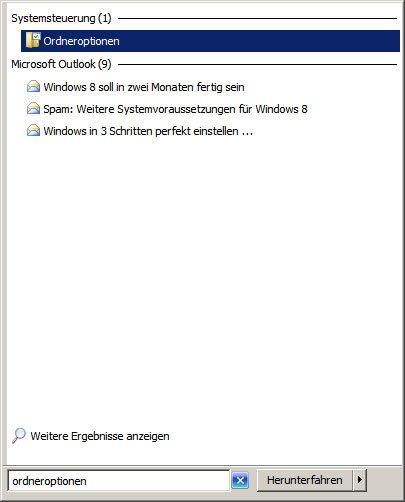
Now click on Folder Options
Now a new window opens with the Options folder
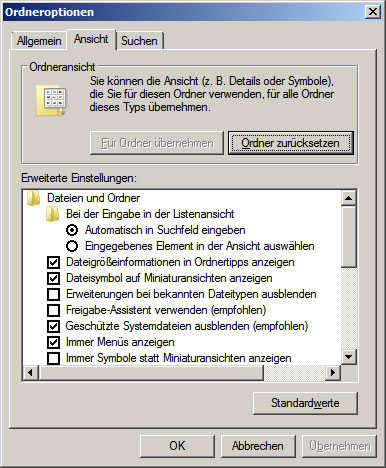
Now click on the View tab
Now you can hide the check mark Protected system files (recommended)
If you scroll down further you will see Hidden Files and Folders, these can also be hacked out or hacked.