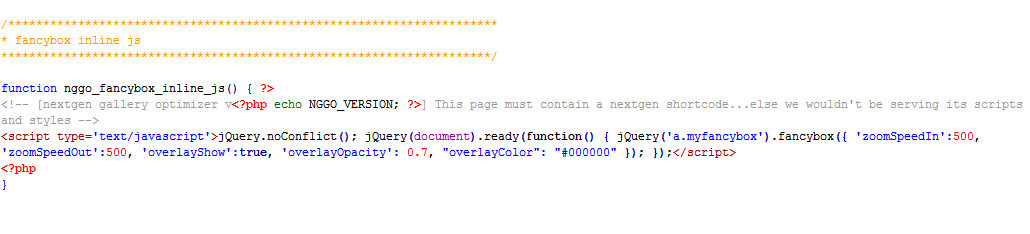
By default, if you install a nextgen gallery with the standard Fancy Box effect, the background will be brighter. To darken the background and still maintain the transparency It proceeds as follows.
Opens the file nextgen-optimizer-scripts-and-styles.php in the list: \wp-content\plugins\next-gen-gallery-optimizer
Before amendment:
<script type=’text/javascript‘>jQuery.noConflict(); jQuery(document).ready(function() { jQuery(‚a.myfancybox‘).fancybox({ ‚zoomSpeedIn‘:500, ‚zoomSpeedOut‘:500, ‚overlayShow‘:true, ‚overlayOpacity‘: 0.7 }); };</script>
Now change the value overlayOpacity to 0.7 and add the value „overlayColor“: „#000000“. Important to make an accompaniment after the overlayOpacity.
After amendment:
<script type=’text/javascript‘>jQuery.noConflict(); jQuery(document).ready(function() { jQuery(‚a.myfancybox‘).fancybox({ ‚zoomSpeedIn‘:500, ‚zoomSpeedOut‘:500, ‚overlayShow‘:true, ‚overlayOpacity‘: 0.7, „overlayColor“: „#000000“ }); };</script>