
Unfortunately, it happens from time to time that various older plugins no longer work with new WordPress versions, so I have created a guide for you how to downgrade WordPress.
- First log into yours. Site one
- Deactivated all times Plugins
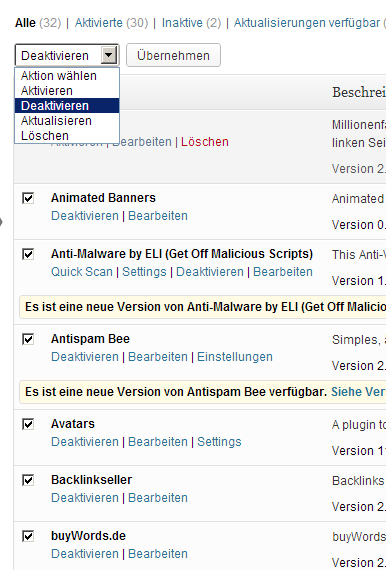
- Log out of your installation
- Sign up to your web host via FTP, if you operate an IIS then conveniently click into your website directories.
- Make a backup of your entire website
- Then you delete the entire directory except for the folder. WP content (location of your pictures & documents).
- now copy the contents of the folder of the downgraded version to your website directories
- Wait a minute (coffee or smoke break)
- It has a lot of data Uff..
- Finally finished copying…
-
Now navigate to your website
- Re-create your WP-CONFIG file
- Database name
- User name
- Password
- etc.
- Now you click Save if your input was correct
- Now comes the following message
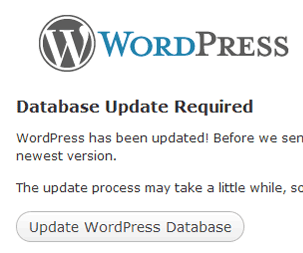
Clicks on Update WordPress Database
that can take a few seconds depending on the size of the DB
Then comes the following message.
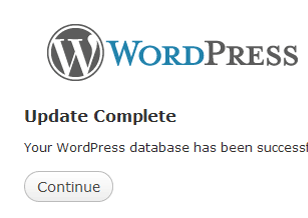
Now you can log back into your WordPress installation.