
Safety update: 14 September 2026
The report below describes one Windows 7 customer incident from 2013, not a general solution tested today. Seeing classpnp.sys last on the screen does not prove that this file caused the failure. Do not change its name or obtain a replacement from a download portal.
Before attempting repairs, record the Windows version, complete error message, last successful sign-in and recent changes. A black screen with a movable pointer and an interrupted startup are different observations. Microsoft distinguishes several startup phases; its linked overview is intended for IT professionals and supported Windows versions.
A RAID mirror is not an independent backup. Check important backup copies on another drive. If data is missing without a copy, drives make unusual noises or the RAID is degraded, stop and arrange qualified data-recovery assessment first. Even a read-only check can stress a damaged drive.
Do not disconnect a mirror member experimentally or initialize, dissolve or rebuild the array. Record the controller model, drive mapping and condition. The original does not identify the exact DawiControl model, so it cannot establish which driver is appropriate.
According to Microsoft, chkdsk without parameters only reports status; /f, /r, /x and /b can perform repairs. These options are not a recipe for the only copy of your data. Do not ignore errors. After a properly planned recovery, check startup, files, logs and RAID health, and keep the backup.
Windows 7 is no longer under regular support. A successful repair does not replace planning for a supported system. Neither the old incident nor a present-day repair was reproduced here.
Sources: Microsoft: Windows startup issues, Microsoft: chkdsk, Microsoft: Windows 7 lifecycle.
Historical account from 2013
Today I encountered an interesting case: a customer had switched off a Windows 7 PC over the weekend, and it then got stuck during startup. It reached a black screen where only the mouse pointer could still move.
I immediately tried Safe Mode, but that did not work either: startup stopped at classpnp.sys. I restarted and tried Safe Mode with Command Prompt, also without success.
During the hardware check, I disconnected the CD drive, the second hard drive and all USB devices. That did not work either.
ENOUGH IS ENOUGH
Three years earlier I had installed a RAID controller with a mirrored array in this PC. Windows repair was therefore not readily accessible; I first downloaded the driver from DawiControl onto my USB flash drive. After loading the correct RAID-controller driver, I could finally open the Windows 7 repair console.
I then started Windows 7 System Restore and selected a date from the previous week. Finally it worked, and that is how I resolved this classpnp.sys problem.
After the classpnp.sys problem and System Restore, I received the two errors shown below. I simply ignored them and ran Chkdsk. Fortunately, everything then worked again. The historical advice to users with a mirrored RAID was to disconnect one of the two drives before this procedure.
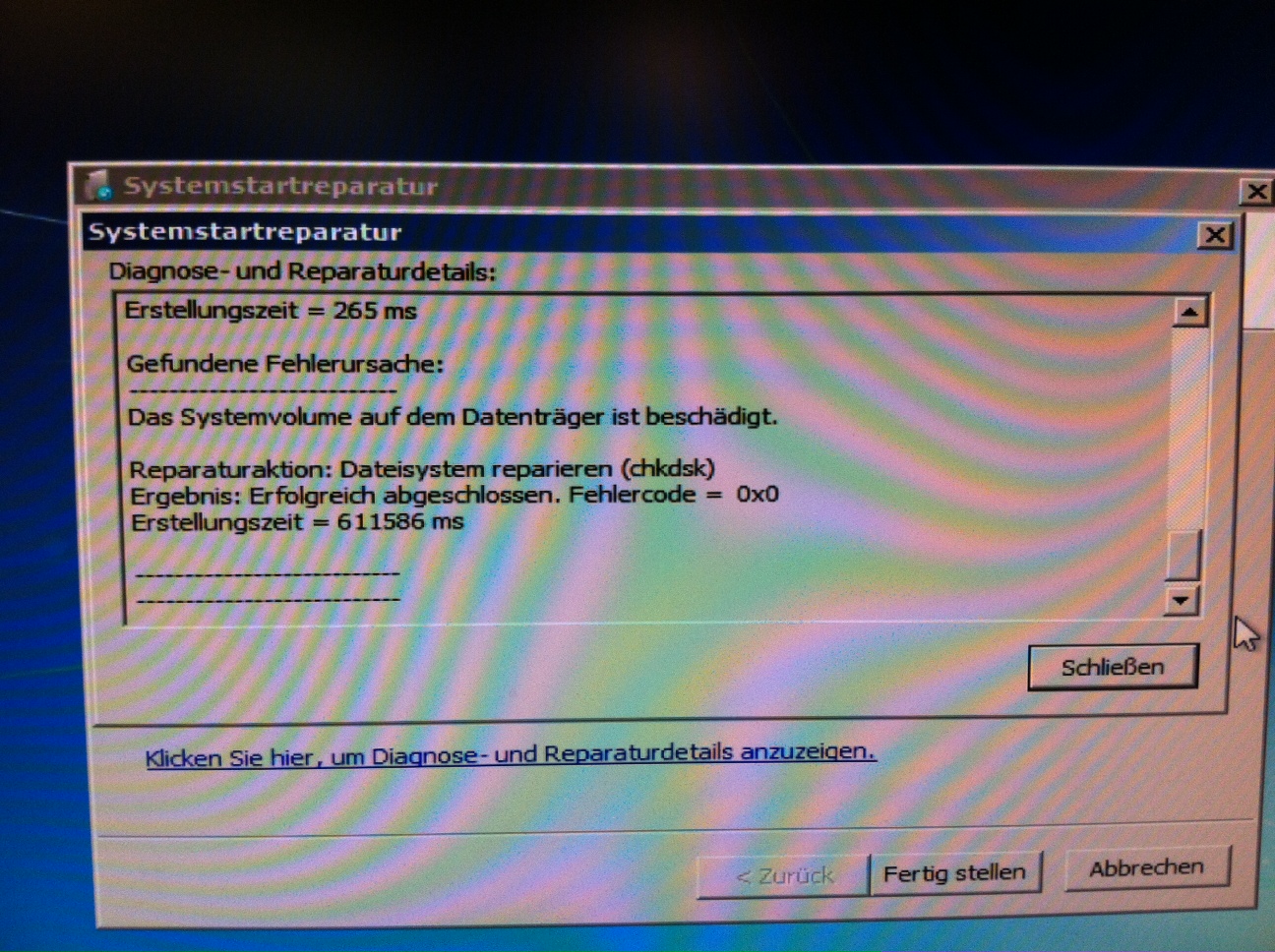
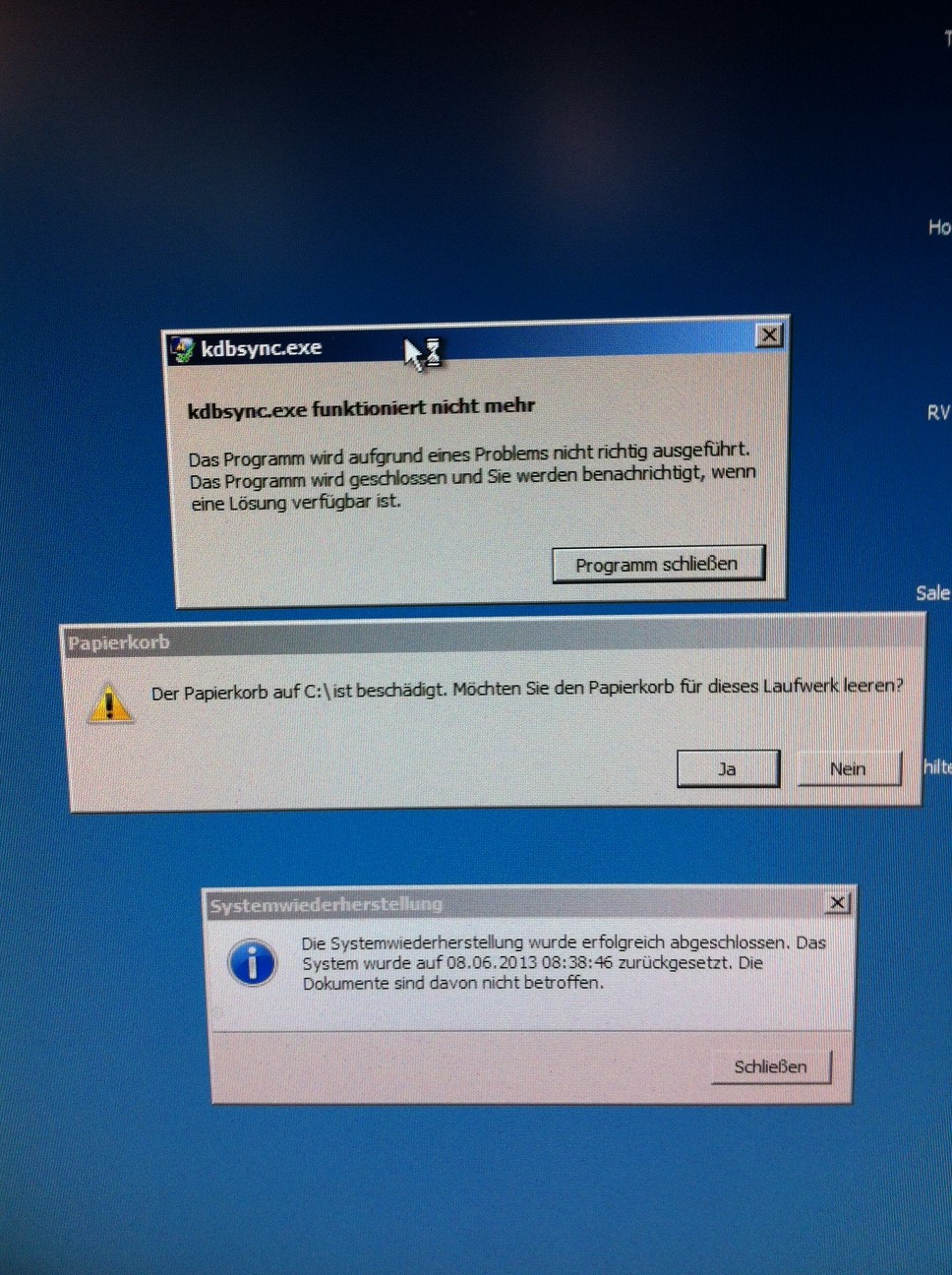
Readable context for the historical images: image 1 reports a damaged system volume and a file-system repair completed successfully at the time (chkdsk, error code 0x0). Image 2 shows a kdbsync.exe crash, a damaged Recycle Bin warning on C: and completed System Restore. This establishes neither a current cause nor a recommendation to empty the Recycle Bin.