
Current guidance – 19 September 2026
Do not manually delete the WinSxS folder or files inside it. Do not take ownership or grant Everyone full access. Microsoft warns of startup and update failures. The preserved 2013 experiment below is not current advice; its backup does not demonstrate a tested restore or lasting system reliability.
First make an independent backup of important files and check free space in File Explorer. In Windows 11, open Settings → System → Storage → Cleanup recommendations. Review each category and select only dispensable data. Do not indiscriminately remove Downloads, Recycle Bin contents or previous Windows installations; the latter may be needed to go back.
Windows also cleans its component store automatically. Manually running DISM /StartComponentCleanup removes superseded components without the usual 30-day grace period; /ResetBase further restricts uninstalling already installed updates. These are not reversible default tips for this article.
If files were already deleted from WinSxS or permissions changed, stop deleting. Back up data before repairs and plan a tested restore or qualified assistance. No new Windows test was performed here.
Sources and safe backups
Historical original report – 22.09.2013
Delete winsx's folder
While browsing one of my virtual machines, I found WINSXS inside the Windows folder. My virtual machines had only 20 GB disks, so I needed to use the space carefully.
Before deleting files, I started a backup to restore my virtual-machine data in the worst case. I also advised readers to back up their PC or notebook before deletion.
I started the backup, took a coffee break, and eventually it finished.
I then selected all files and folders inside WINSXS with Ctrl+A and pressed Shift+Delete to delete them without moving them to the Recycle Bin.
The first message said that a file could not be deleted. I clicked Skip to delete files not currently being accessed.
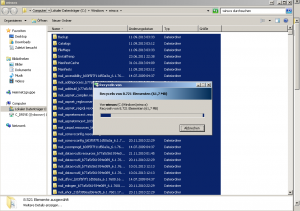
After the first normal deletion, only a few MB were removed. I then took ownership of the entire folder and gave Everyone full access. Another deletion removed more than 3 GB, reducing the folder's size.
I then started Safe Mode again to delete more content.